What would an AI need to do to buy a train ticket online?
Pick the first action an effective browser agent should take. This is not just clicking fast; it is observing the page, deciding what matters, and choosing a safe next step.
A browser agent is more than automation
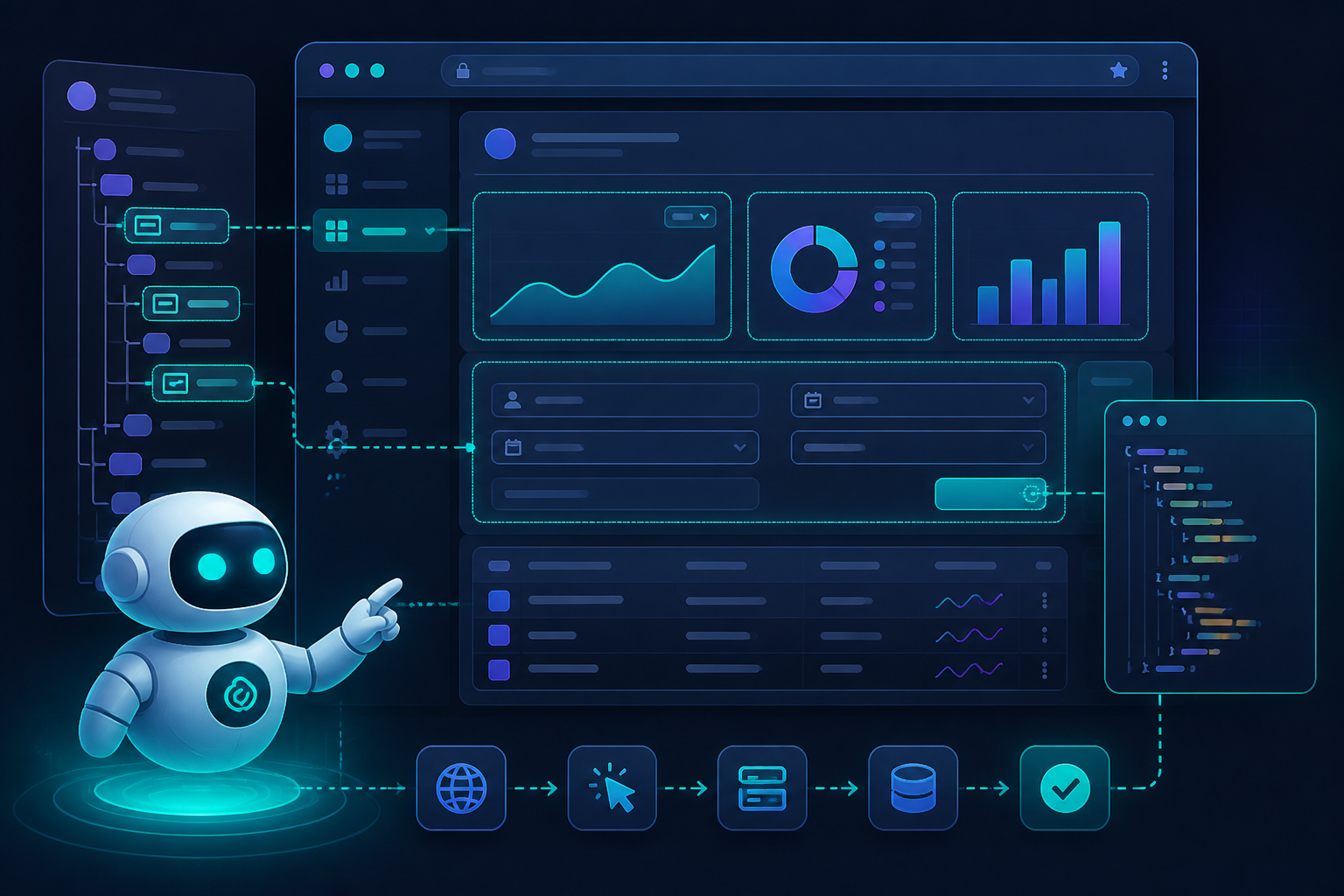
Traditional scripts follow fixed selectors. Browser agents combine page observation, reasoning, and action selection so they can recover when layouts change or tasks branch.
Observe
Read DOM, text, page state, and visual cues.
Plan
Map the user goal to the next best browser action.
Act
Click, type, scroll, wait, or call a supporting tool.
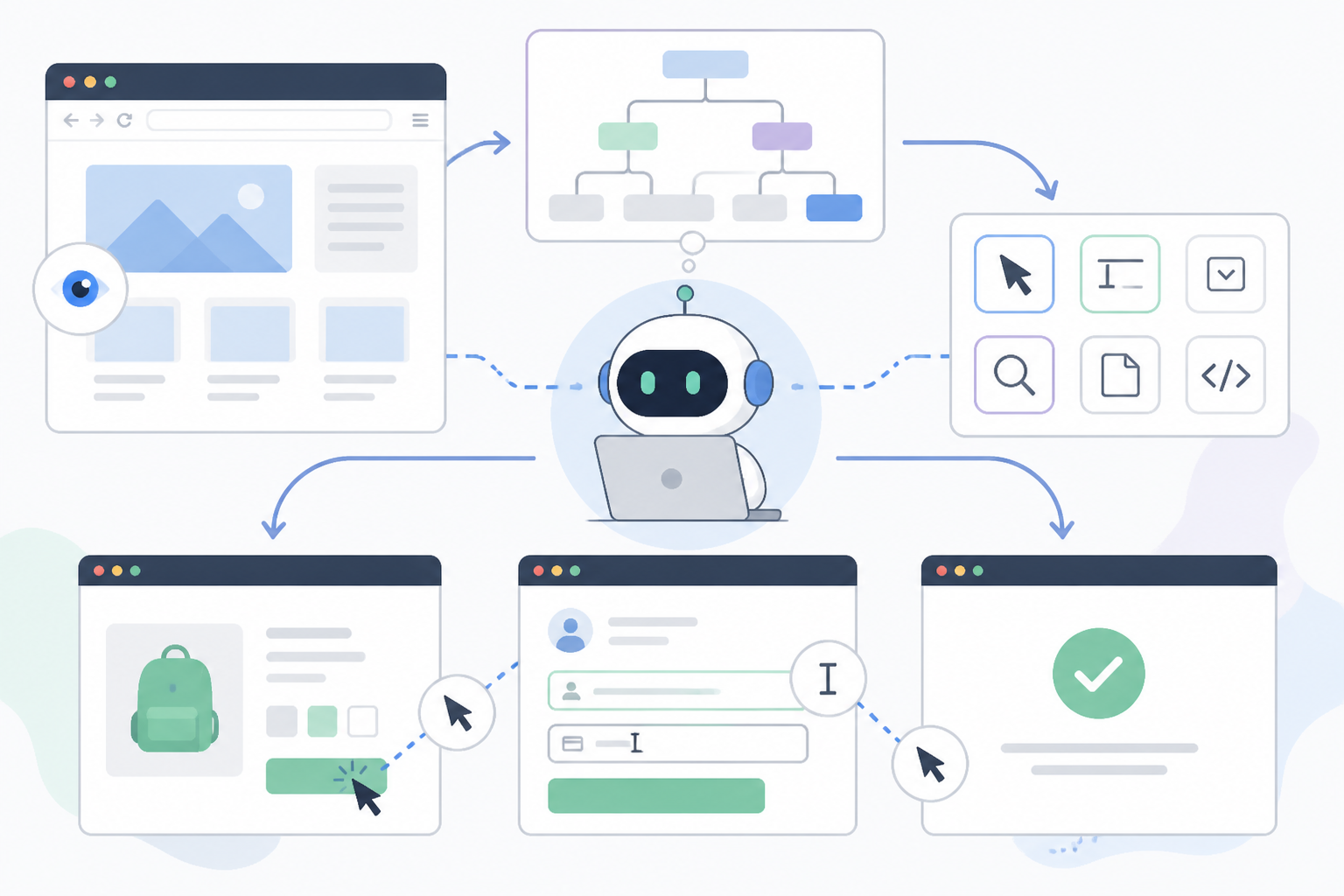
Agents need a working model of page structure
Web pages are nested trees of elements, attributes, labels, and events. Good agents connect visible text with underlying interactive targets.
KC 1
Why is DOM understanding important for a browser agent?
Pages are not only HTML
Modern sites include images, icons, charts, overlays, and canvas-rendered interfaces. Agents often need both DOM signals and screenshot-level interpretation to act reliably.
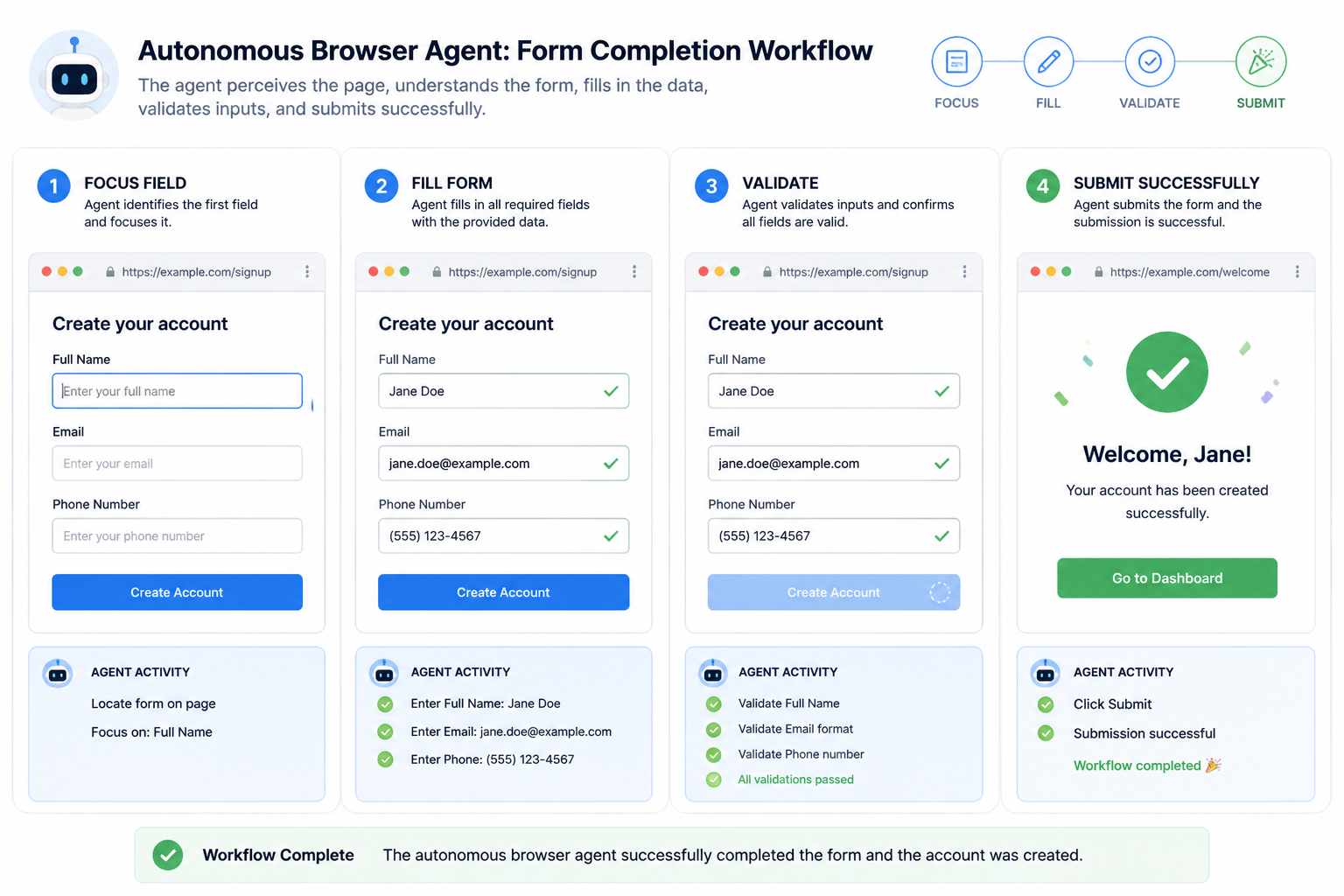
Form filling is a sequence, not a single click
Agents must identify required fields, validate input formats, handle dropdowns, and confirm that the page accepted the action before moving on.
Agents often pair browser actions with external tools
A browser agent may read a page, call a calculator, query a database, summarize terms, or compare data before deciding what to do next.
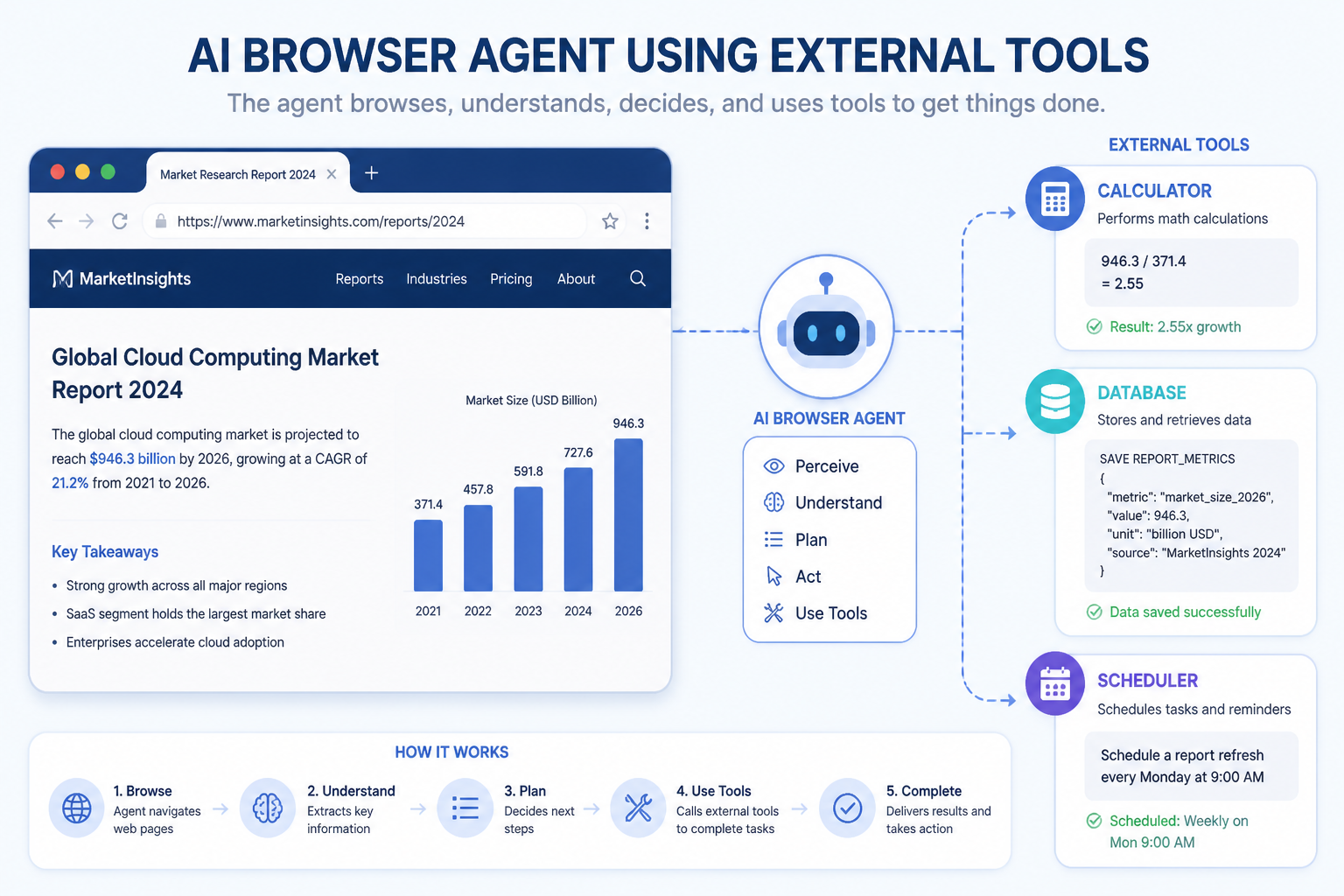
Observe the page
Read available options and missing information.
Call the right tool
Bring in external reasoning or data.
Return to the browser
Complete the next grounded action.
KC 2
Which situation best shows tool-augmented browsing?
Good agents remember what already happened
Sessions include authentication state, prior actions, partial progress, and temporary constraints. Without memory, an agent may loop, duplicate work, or lose context.
Observed
In Progress
Done
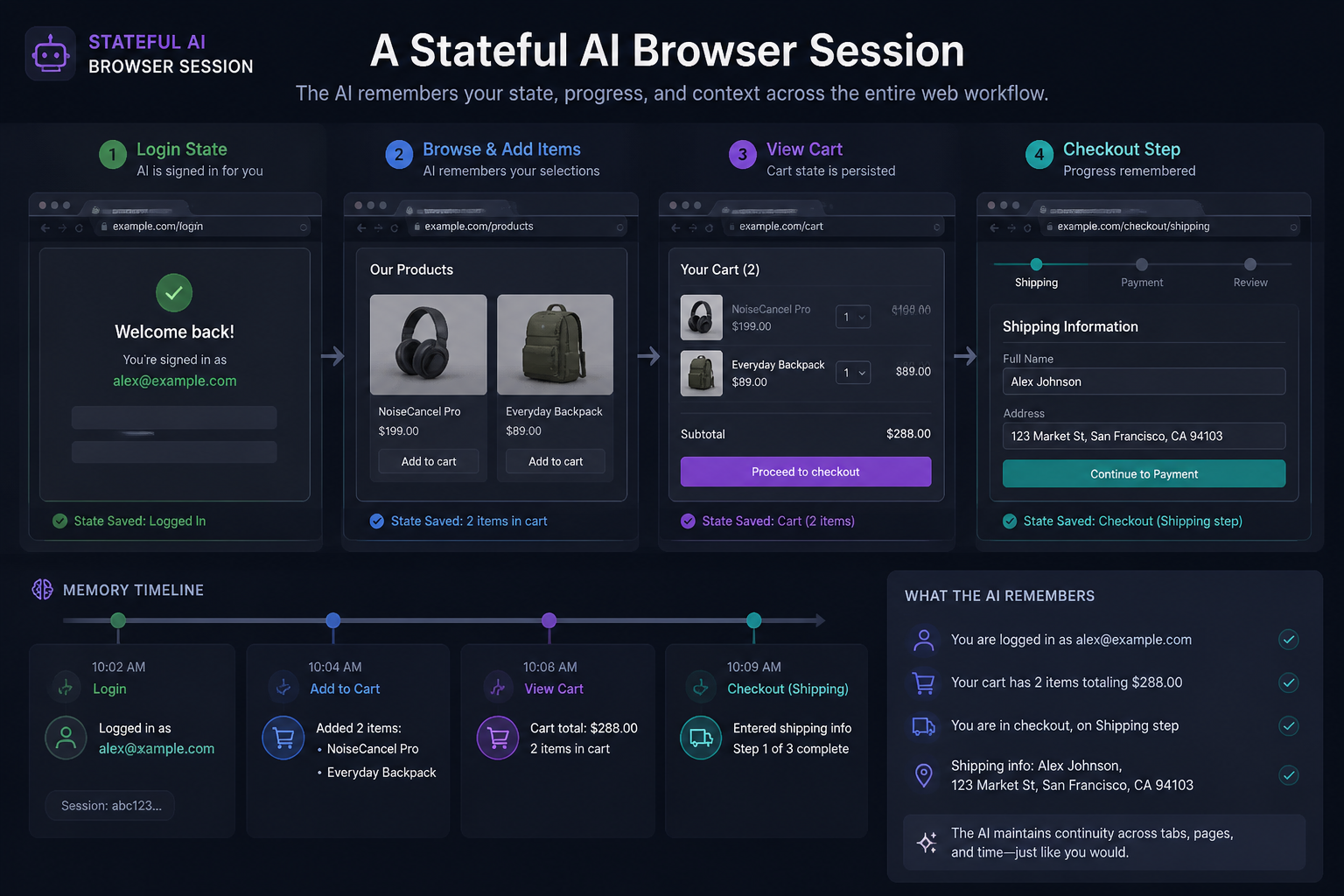
Dynamic apps force agents to adapt while acting
Single-page applications can change content without a full refresh. Agents must detect loading states, watch for asynchronous updates, and re-evaluate targets.
Autonomy needs guardrails
Reliable systems limit risky actions, confirm destructive steps, log decisions, and use checkpoints for human review when stakes are high.
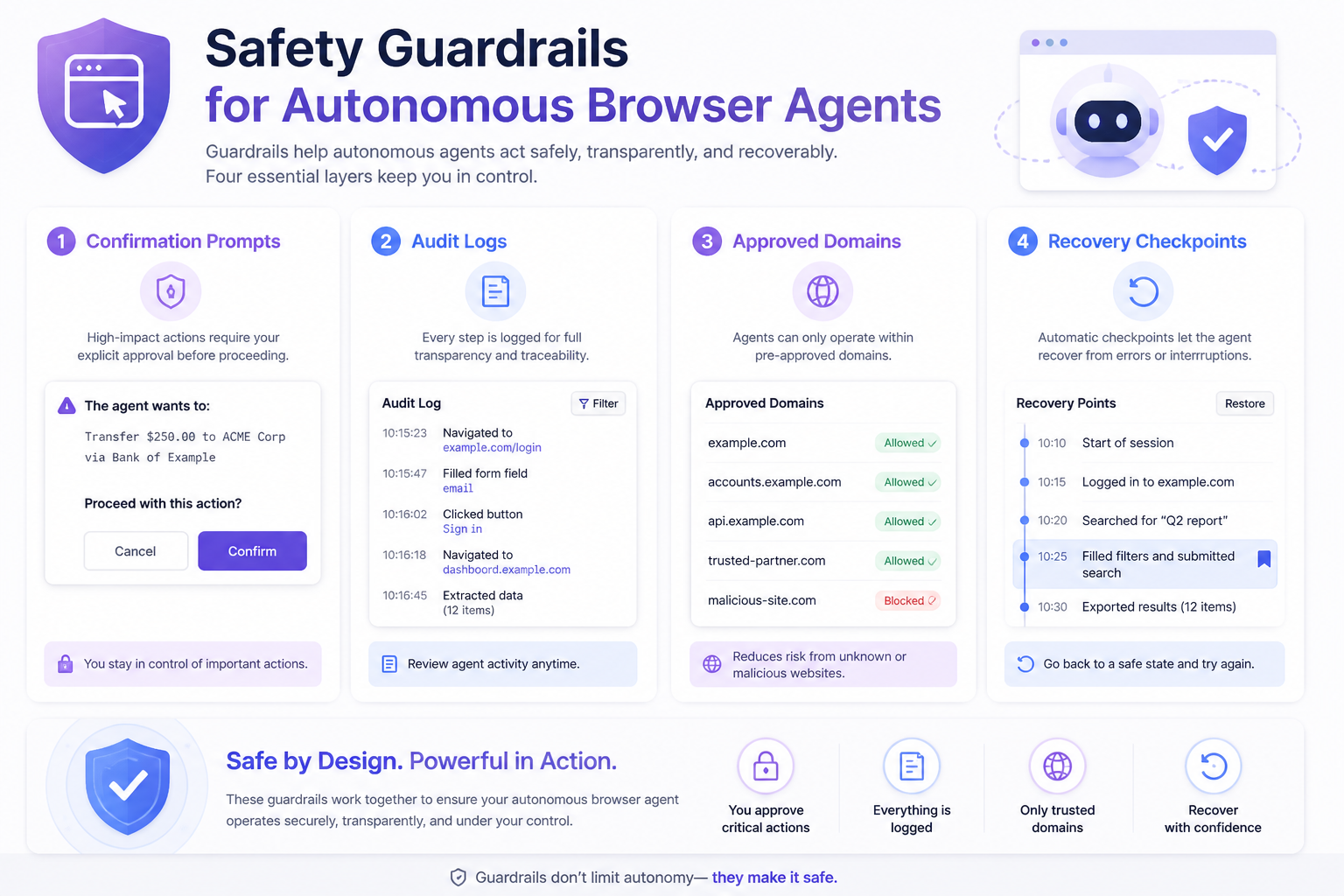
Prevent
Reduce unsafe or irrelevant actions before they happen.
Detect
Notice drift, missing state, or suspicious outputs quickly.
Recover
Retry, rollback, or escalate with context preserved.
KC 3
Why are dynamic web apps challenging for autonomous agents?
Frameworks and research are converging on similar patterns
Across open-source and commercial systems, common ideas include browser instrumentation, tool abstraction, grounded action selection, and benchmark-driven evaluation.
- Playwright and Selenium remain key browser control foundations.
- OpenAI and Anthropic have highlighted computer-use style interfaces.
- Research such as WebArena evaluates agent performance in realistic tasks.
- Tool-abstraction approaches reduce brittle low-level clicking logic.
Summary
They do more than replay scripts; they adapt to changing interfaces and goals.
DOM structure, visible layout, and page state all matter for good decisions.
Agents often need external tools and memory of prior steps to finish workflows.
Async updates can invalidate earlier observations.
Safety, logging, constraints, and handoffs make autonomy practical.
Assessment Intro
Answer five questions to check whether you can apply the lesson ideas. Each question has exactly one best answer. Your score appears at the end, and 80% or higher unlocks the certificate.